How a Browser Works: A Beginner-Friendly Guide to Browser Internals
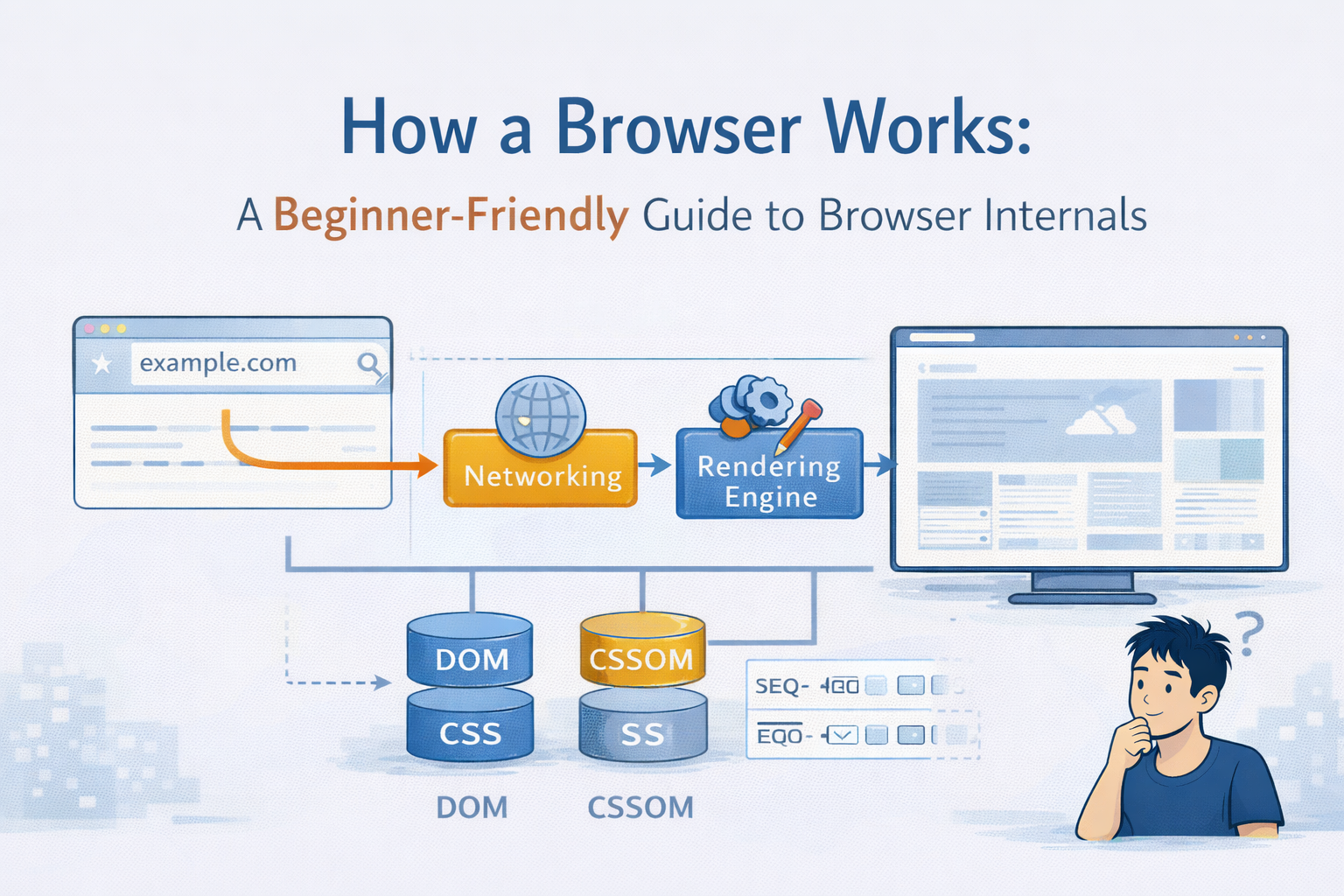
What happens after we type a URL and then Press Enter?
Most of us know what a browser does, it opens a website. But how does it open a website? What happens behind the scenes between pressing Enter and seeing pixels change on your screen.
In this article we will get to know how exactly this happens and how actually browser internals work together. We need to understand the whole flow of what actually happens in the backend.
What is a Browser
A browser is not just a tool that opens a website, its a complex software system that:
Talks to the server with the help of internet
Downloads files like HTML, CSS, JS, Images etc
Understands those files
Converts them into a visual page
Handles user interactions like clicks and scrolling
We can think of a browser as a translator + painter +coordinator working together to turn raw text into a usable webpage.
Main parts of Browser
A browser is made up of multiple components, each with a specific job. They work together to generate the output required. The different types of components are:
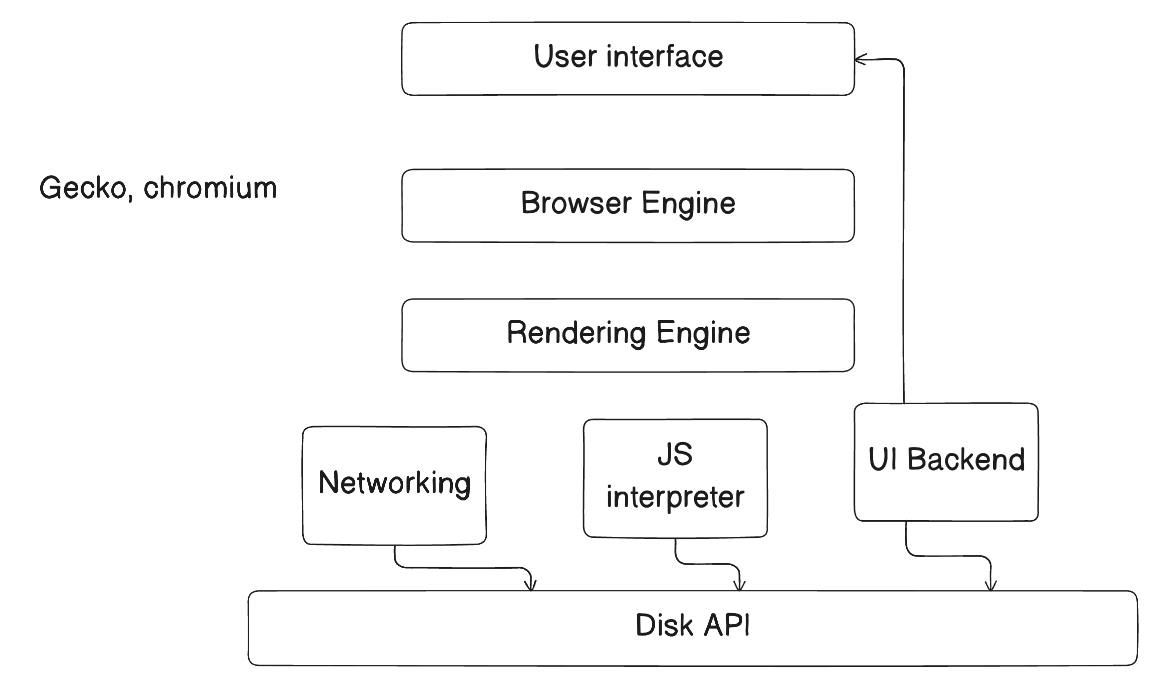
User Interface (UI)
This is the part where the user interaction takes place. The user can interact with:
- Address Bar
- Back / Forward buttons
- Tabs
- Bookmark bar
The UI does not render webpages it just takes in the input and shows the output, just how a cli does.
Browser Engine
This is the bridge between User interface and rendering engine. When we type a URL and then press Enter, the UI tells the Browser Engine, “Hey load this page”
The browser engine coordinates the entire process
Rendering Engine
This is the heart of the browser. The job of rendering engine is to:
- Parse HTML
- Parse CSS
- Create Internal structures
- Paint pixels on the screen
Different browsers use different engines, Like Chromium uses Blink while Firefox uses Gecko
Networking
Networking is responsible for Making HTTP/HTTPS requests and Downloading HTML, CSS, JS, Images, etc.
This is where the browser talks to the Internet.
Javascript Engine
The Javascript Engine is responsible for executing the JS code.
Example:
- Chrome → V8 Engine
- Firefox → Spidermonkey
Also Javascript can Change the HTML< CSS and trigger re-rendering.
UI Backend & Disk API
The UI backend draws native UI elements like buttons, scroll bars etc while the DISK API is used for caching files, cookies it basically ascts as a local storage.
What happens After I type a URL?
When we type www.example.com and the press Enter.
Now the browser journey begins…
From URL to Pixels
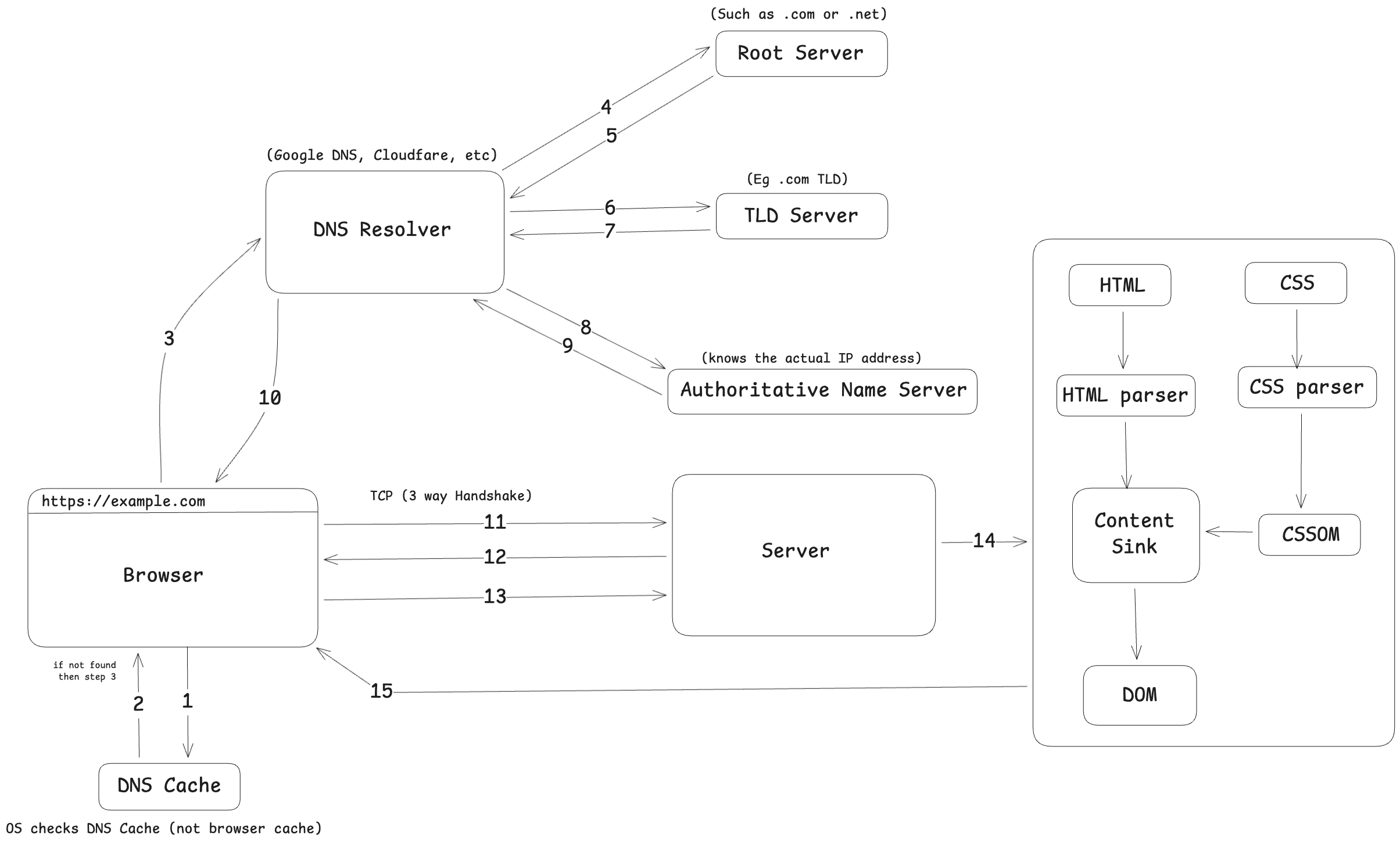
Step 1: DNS Resolution
The browser asks, What is the IP address of example.com, then the flow goes like
Check OS DNS cache
Ask the DNS resolver
Resolver asks
Root Server (.)
TLD server (.com)
Authoritative Name Server (IP)
Step 2: TCP Connection
Before sending data, the browser establishes a TCP 3-way handshake, then a reliable connection is established
Step 3: Requesting Files
The browser sends an HTTP Request, “Give me the HTML for this page”
The server responds with, HTML, Links to CSS and Links to JS
Parsing: Turning Text into Meaning
Before we move forward with HTML and CSS we need to understanding parsing
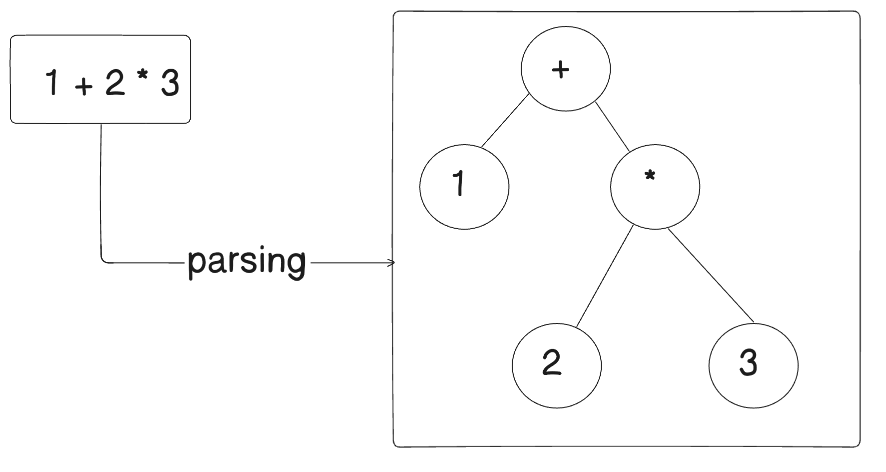
A parser doesnt read 1+2×3 as a plain text. It converts it into a tree structure.
This tree represents meaning, not text.
Parsing means breaking input into structure the computer understands
Web parsing consists of 2 types Conventional parsing and unconventional parsing.
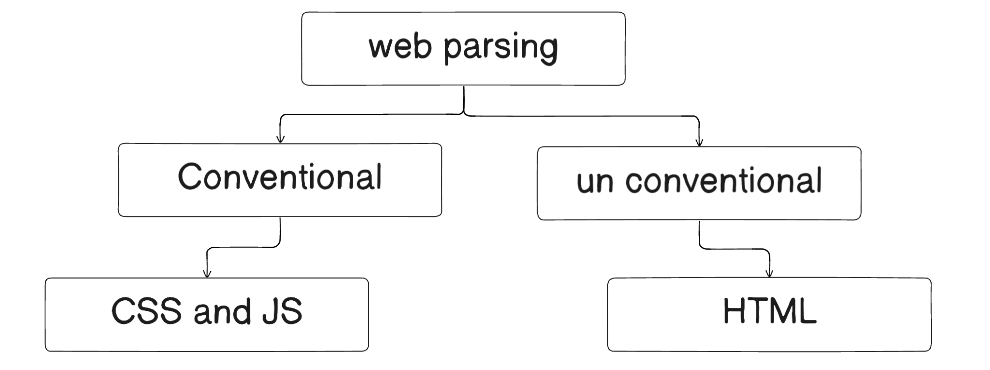
HTML/CSS Parsing and DOM Creation
HTML Parsing
Now lets move back to the browser.
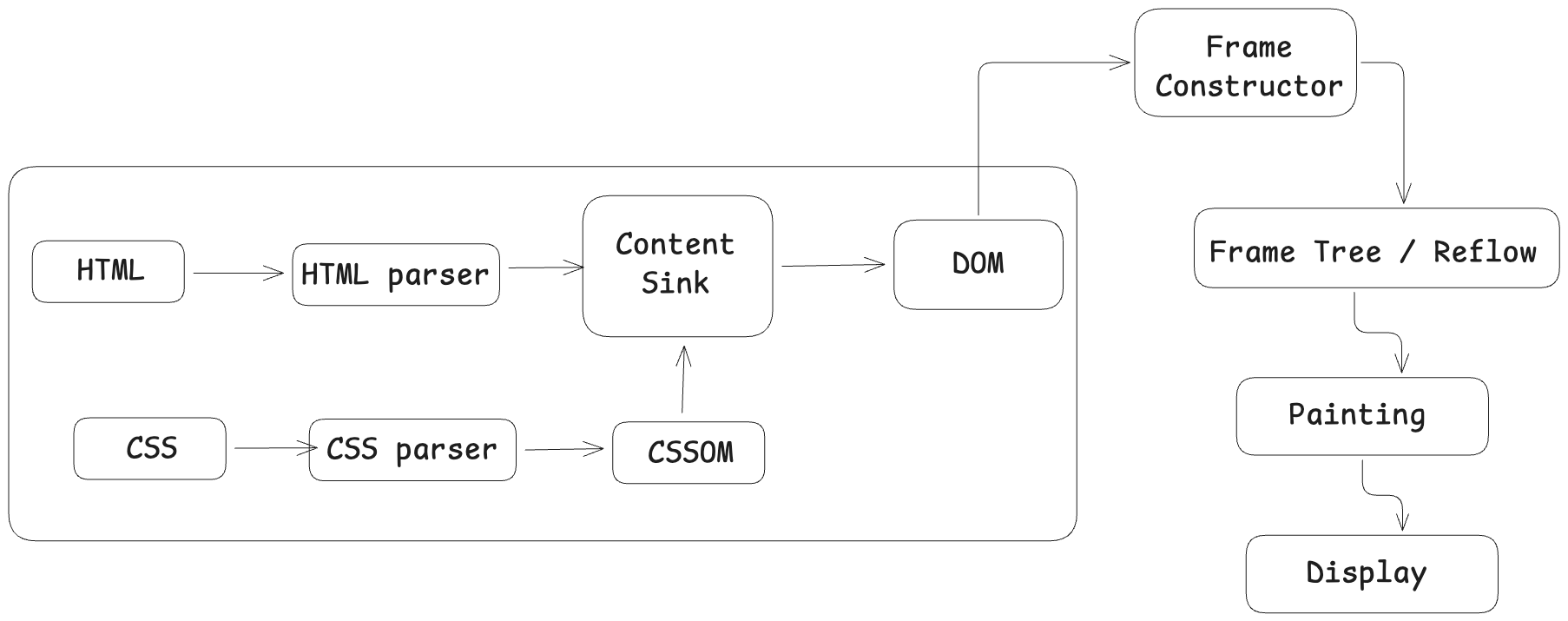
The rendering engine receives the HTML. Then
HTML bytes are read
HTML parser processes tags
Elements are converted into nodes
Nodes are connected into DOM tree
What is a DOM?
DOM is known as Document Object Model. Its basically a tree like structure where, <html> is the root, <body>. is a child and <div>, <p> are branches.
The Browser uses DOM to Know what exists on the page and allow JS to modify content
CSS parsing and CSSOM creation
CSS is separately parsed, in which the CSS file is downloaded, then CSS parser reads the rules and styles are converted into a CSSOM tree
What is a CSSOM?
CSSOM is meant by CSS object model, it describes which style apply to which element and with what priority.
DOM = what exists
CSSOM = how it should look
DOM + CSSOM = Render Tree
The browser now combines both and forms a render tree which includes only visible elements and combine structure (DOM) and Styles (CSSOM)
The tree answers questions like, “What should be painted on the screen?”
Layout (Reflow) : Calculating Positions
Now the browser calculates the width, height and position. This step is called Layout or reflow this all is done with the help of frame constructor.
Example:
“This div is 300px wide and 50px from the top.”
Any changes in layout (resize, font change) may trigger reflow.
Painting & Display
Painting means filling colors, drawing text, borders and shadows. Each visual element is drawn in layers.
And then finally the painted layers are sent to GPU and then pixels are displayed on the screen. This happens very fast often in milliseconds
Where JavaScript Fits in
Javascript can Modify the DOM, change the styles and Trigger reflow and repaint.
Thats why heavy JS can slow pages down.
Conclusion
A lot of events takes place right from hitting enter to displaying webpage. Its a long story once we understand why and how this happens then we can say. that we do have a little knowledge of browser internals.