Getting Started with cURL
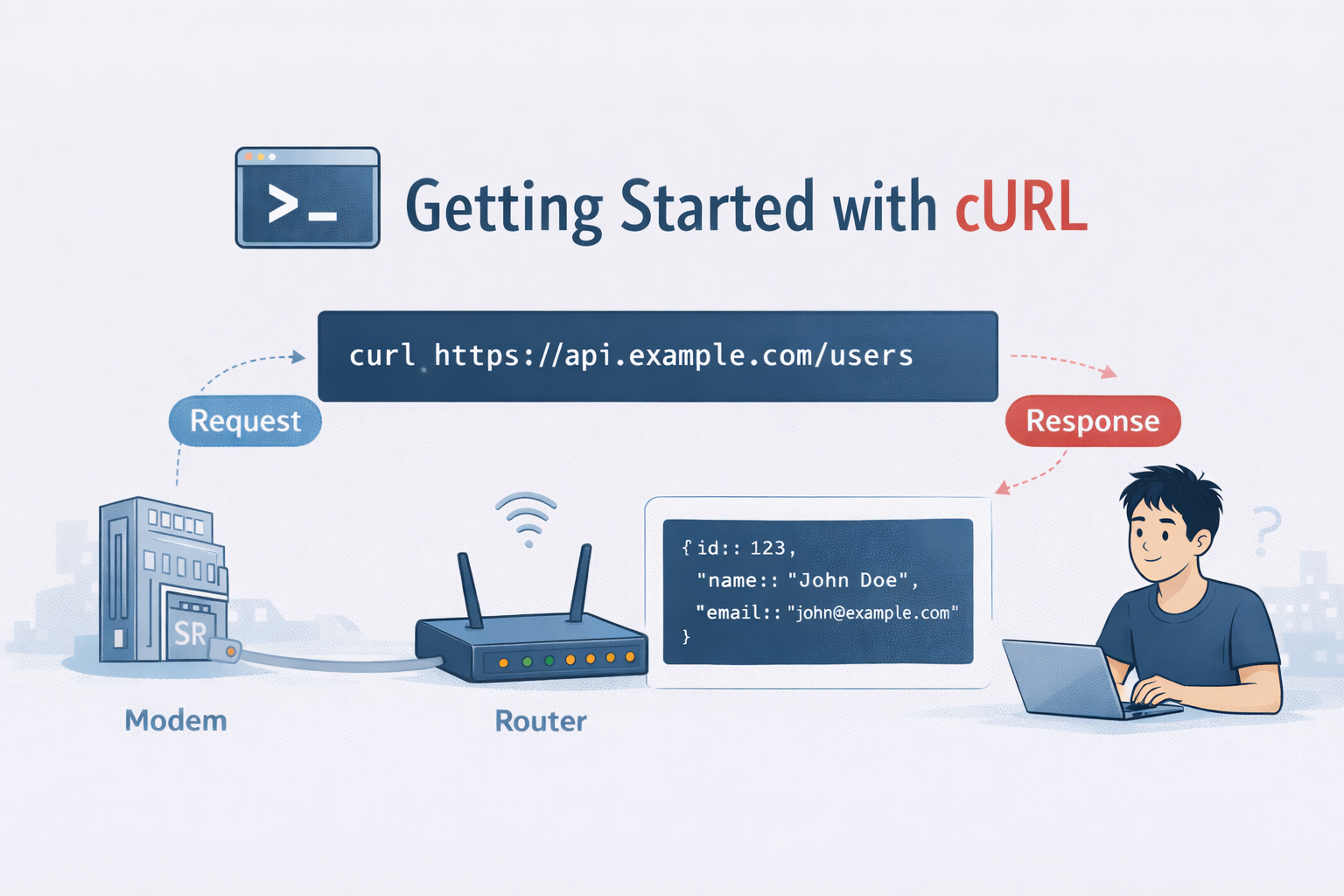
Whenever we need to talk to the server we do it with the help of browser, where we enter the query in url and it lets you talk with the server. But how to programmers talk to servers without a browser.
When we open a website, our browser quickly sends a request to a server, waits for the response and shows us the result.
But as developers, they talk to the servers directly, without browsers, UI or buttons. All this is possible with the help of cURL.
Just like DNS and network devices, cURL is one of the tools that looks scary at first but its actually very simple once we understand why.
What is a Server?
A server is just a computer whose job is to;
Receive Request → Answer based on the request → send back response
Example:
In a shop, we ask something to the shopkeeper, the shopkeeper processes our request and then gives us a response in a product, receipt or error.
To communicate with a server, we need to send messages.
What is cURL?
cURL stands for client URL. In simple terms, cURL is a tool that lets us send requests to a server from a terminal, instead of clicking links in browser, we can type commands. We can think of it like Browsers have visual way to talk to the servers while cURL has text based way to talk to servers. It same conversation but different medium.
Why programmers Need cURL
Programmers use cURL because,
APIs dont have buttons
Backend services talk via HTTP
Debugging is faster without UI
It works everywhere on every os.
Some common real world uses are that we can Test APIs quickly, then check if a server is up, debug headers and responses and Automate backend tasks.
While designing backend cURL becomes a daily need for backend devs.
How cURL talks to a server
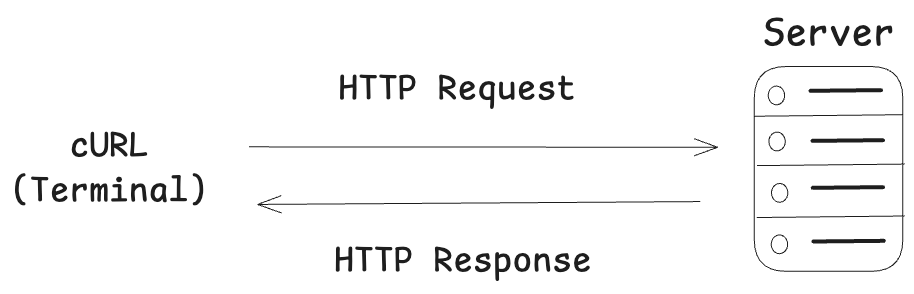
Making your first HTTP request using cURL
Lets start with simplest thing.
cURL example.com
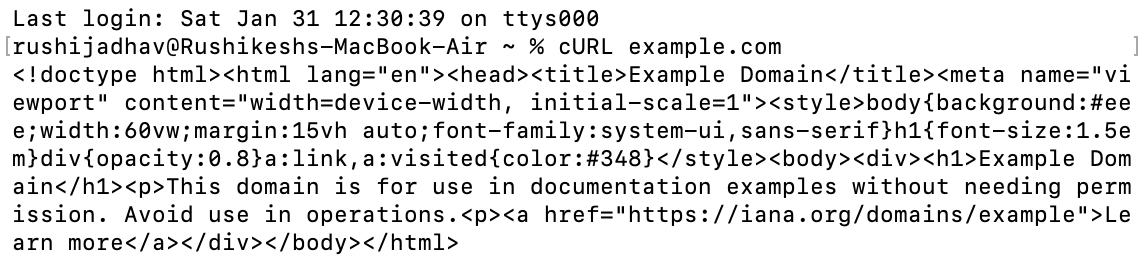
What this does:
Sends a GET request to example.com,
Then fetches whatever the server sends back and then
Prints it back in the terminal
We just asked the server for data where no browser was involved
Understanding Request and Response
Every HTTP conversation has 2 parts, the request and the response
Request
What we send to the server, like asking a question to the server with:
URL
Method(GET/POST)
Optional data
Response
What the server sends back like answering the given question with
Status code which can be 200, 404, 500
Data (HTML, JSON , text)
Example:
Status: 200 OK
Data <html>…</html>
Here status tells us what has happened and data tells us what we have received.
Talking to APIs using cURL
APIs are servers that usually return JSON, not HTML
A simple GET request to an API: cURL https://api.github.com
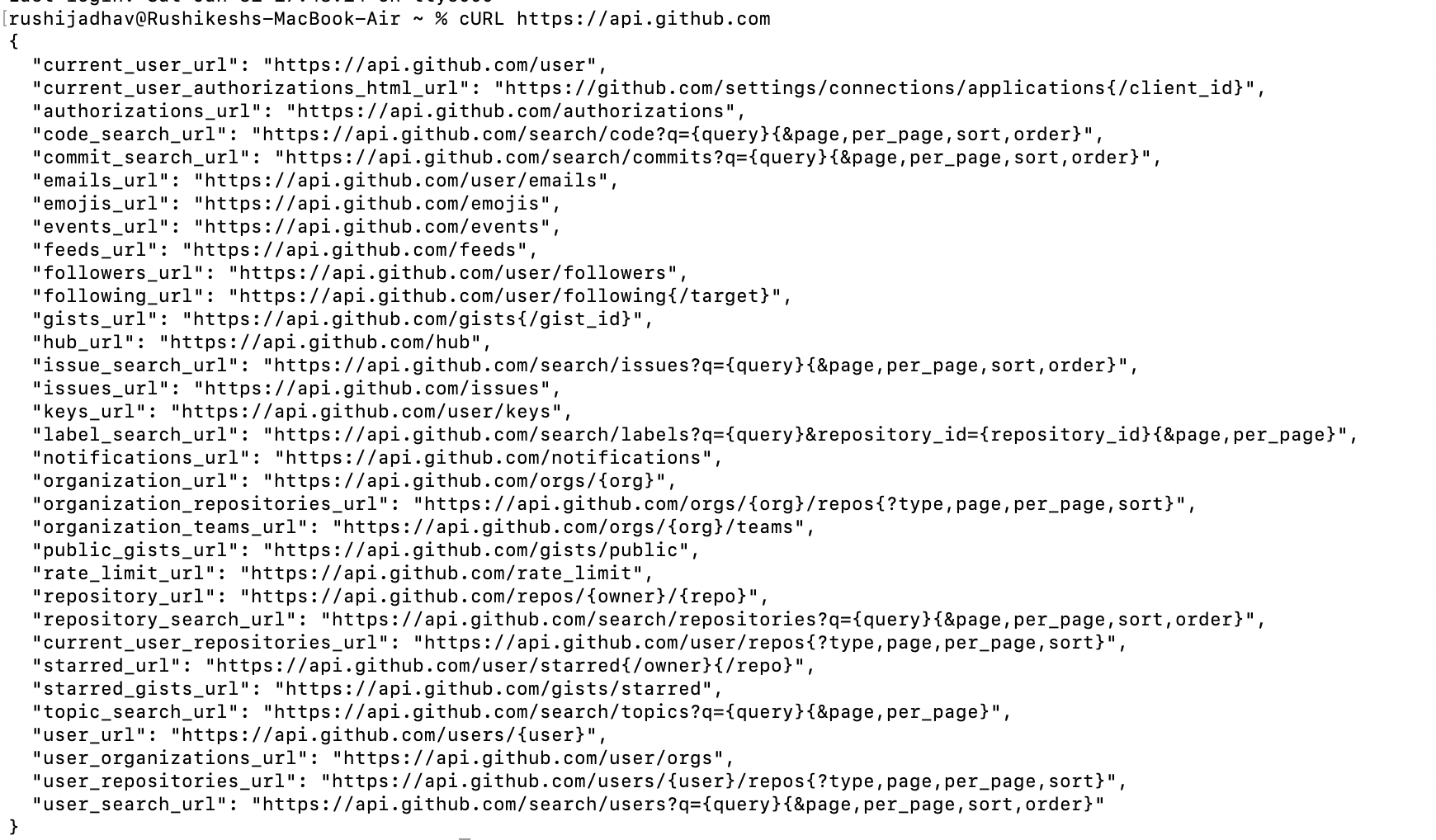
We can see the JSON output instead of a webpage HTML, That is cURL talking to an API directly
Introducing GET and POST Methods
GET: Ask for data
As the name itself tells us that GET means to GET or retrieve data.
cURL https://fake-json-api.mock.beeceptor.com/users
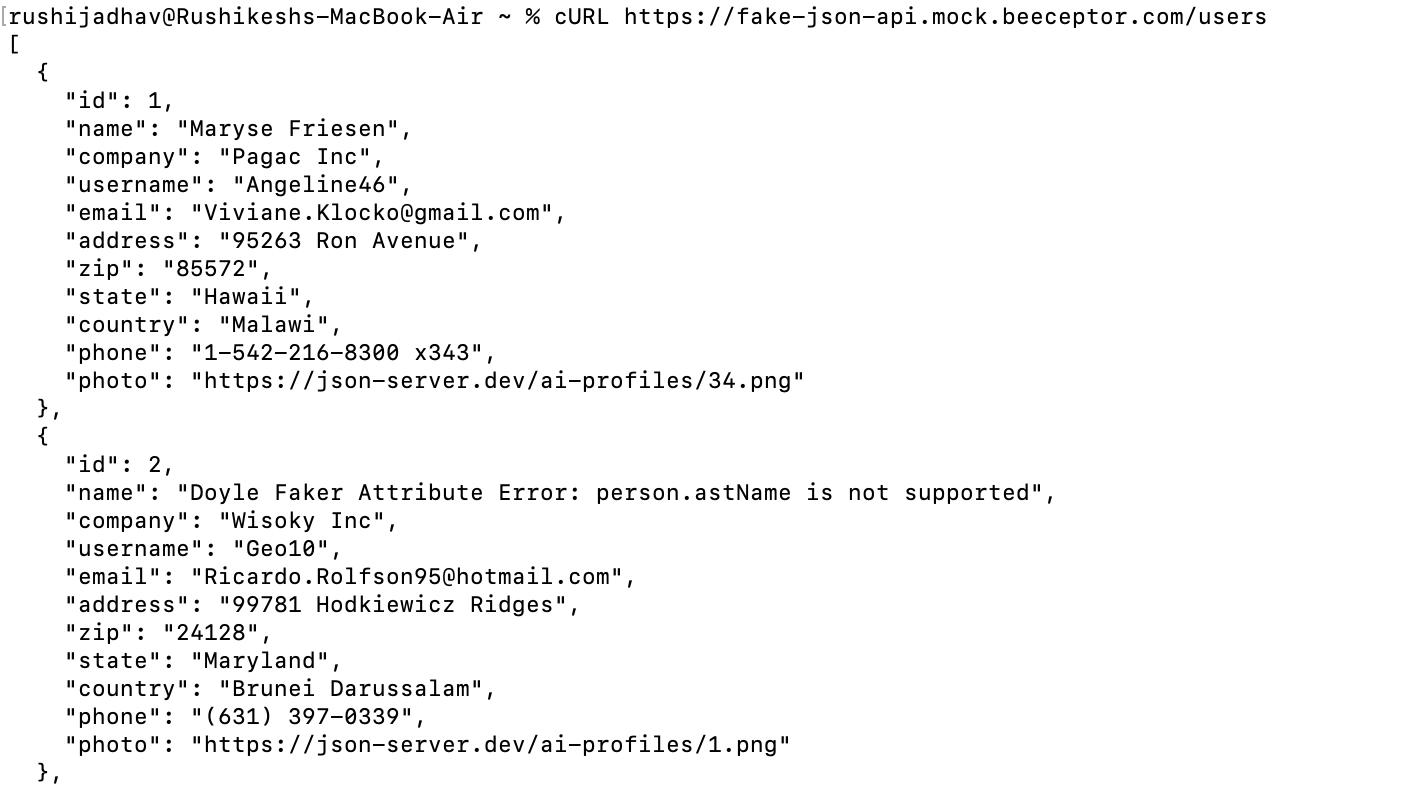
We can use GET when, we want to fetch data, and when we dont want to change anything in the data
POST: Send data
Post means to change or do something from our end
cURL -X POST “https://api.restful-api.dev/objects” -d ‘{ "name": "Apple MacBook Pro 16", "data": { "year": 2019, "price": 1849.99, "CPU model": "Intel Core i9", "Hard disk size": "1 TB" } }’
This adds the data into the JSON;
{
   "id": "7",
   "name": "Apple MacBook Pro 16",
   "data": {
      "year": 2019,
      "price": 1849.99,
      "CPU model": "Intel Core i9",
      "Hard disk size": "1 TB"
   },
   "createdAt": "2022-11-21T20:06:23.986Z"
}
Where cURL fits in Backend Development
Frontend (Browser) → Backend API ← cURL
cURL sits right next to Backend systems for Testing endpoints, debugging failures and reproducing bugs. If our API works in cURL then ut usually works everywhere.
When cURL Doesn’t behave properly
When something works in the browser but fails in cURL, this is very common situation.
API works in the browser but not in cURL
Most likely this happens due to some reasons:
Missing headers
Browsers automatically send headers like Authorization, Content-Type, and cookies while cURL send nothing unless we tell him to.
Authentication required
Browser might already be logged in but cURL is an anonymous client
Many APIs will return
401 Unauthorized - No Access
403 Forbidden - Auth required
API returns weird or empty data
Here we need to check that are we calling the correct endpoint and also check that if its a GET or POST request.
cURL command runs but shows an error
Here we need to look for HTTP status code and an error message, we should not ignore errors they usually tell us that where exactly we are wrong.
Common mistakes beginners make with cURL
Expecting a UI where cURL shows raw data not pretty pages
Forgetting the URL scheme we need to add https before;
Example:
cURL example.com is wrong way
cURL https://example.com is correct
We should not panic when output looks very messy because API speaks in JSON and not english
Conclusion
cURL is not a scary networking tool, its simply A direct conversation between you and the server. Once we get comfortable with sending requests and reading responses then we unlock new potential of API debbugging , Backend confidence and troubleshoot an error.
About the author
- the topics and concepts which i learn and get more fascinated i write about them here...
Comments
Join the discussionNo comments yet. Be the first to comment.