Emmet for HTML: A Beginner’s Guide to Writing Faster Markup
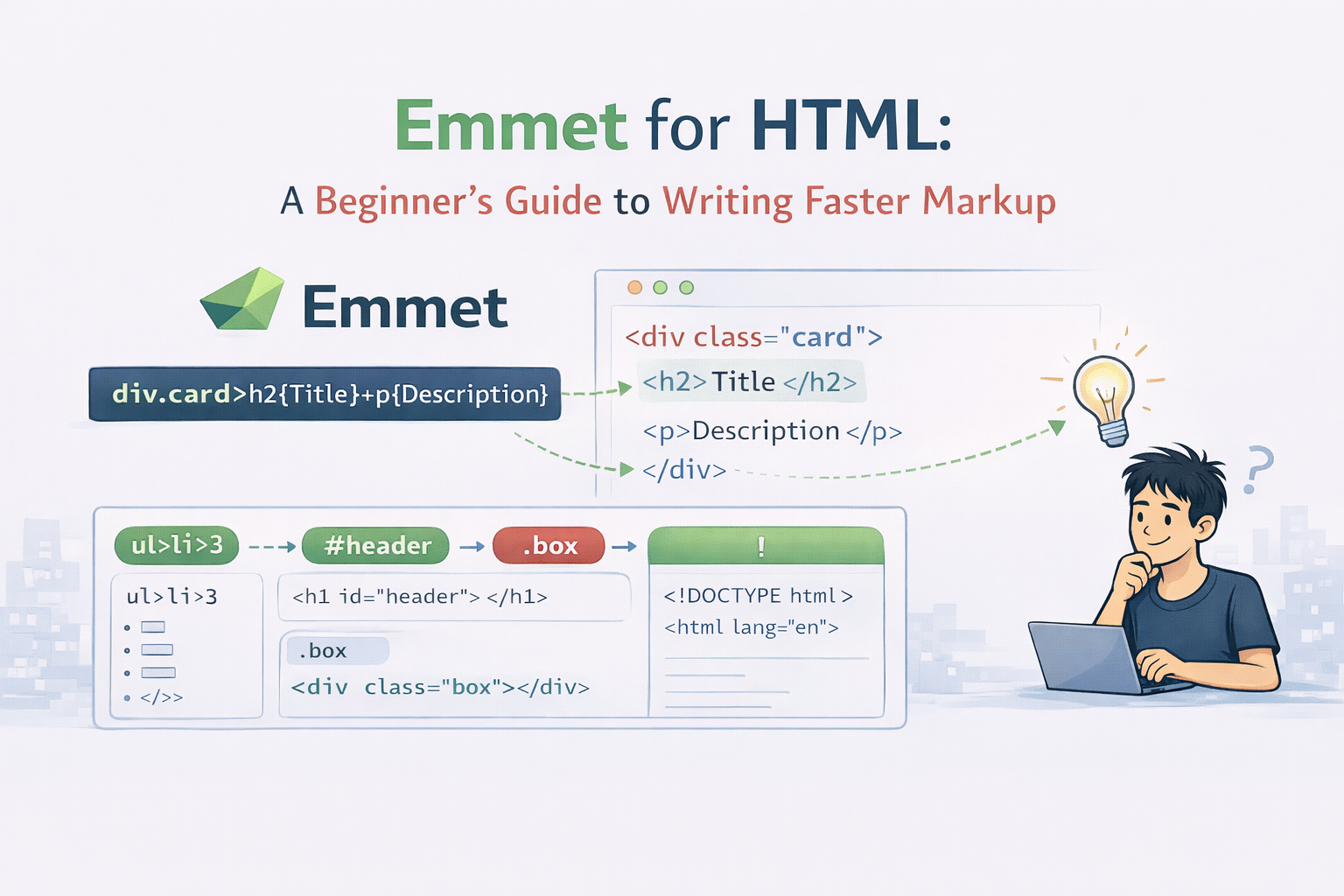
So far in our previous articles we have learnt about How HTML structures a webpage and How CSS Selectors target Elements. Now as we all know that while writing HTML there are many things which are repeated and needs manual effort from our end. Also it includes much boiler plate code which is a repetitive task and slows down the work.
This is where Emmet comes in and fixes it. Lets learn how does emmet actually work.
The Problem: Writing HTML feels Slow
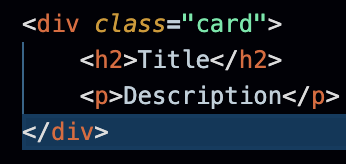
<div class="card">
  <h2>Title</h2>
  <p>Description</p>
</div>
Imagine writing this again and again. Now you have written it once and you copy it for 2-3 times but now you want it for 20 times, you cant copy paste 20 times.
By doing this you spend more time in:
typing angle brackets
closing tags
fixing types
HTML is simple but very repetitive.
This is where emmet helps you.
What is Emmet?
Emmet is a shortcut language for writing HTML faster.
Emmet is a plugin for code editors that accelerates HTML and CSS coding by transforming short, CSS-like abbreviations into complete, structured code blocks. By typing a shorthand expression such as ul>li*3 and pressing the Tab or Enter key, Emmet expands it into full HTML markup, reducing the need for repetitive typing.
You type a word and the press Tab / Enter and then emmet expands it into full HTML
We can think of emmet who autocompletes our code, or be a typing assistance inside our editor.
Why Emmet is amazing for Beginners
Emmet helps us in:
write less and build more
avoid syntax mistakes
focus on structure instead of typing
Most Imp:
- It reinforces HTML structure while saving time.
Creating HTML Elements with Emeet
Single Element
Emmet: p
HTML: <p></p>
Element with Content
Emmet: p{Hello World}
HTML: <p>Hello World</p>
Adding Classes and IDs
Classes:
Emmet:
div.cardHTML:
<div class=”card”></div>IDs:
Emmet:
section#hero.containerHTML:
<section id="hero" class="container"></section>
Adding Atributes
Emmet: a[href="https://example.com"]
HTML: <a href="https://example.com"></a>
Creating Nested Elements
Nesting is where Emmet really helps us in writing HTML.
Use > to represent child elements
Emmet: div.card>h2{Title}+p{Description}
Repeating Elements (Multiplication)
Use * to repeat elements
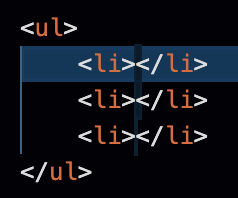
Emmet: ul>li*3
Combining Nesting + Repetition
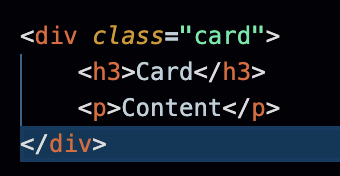
Emmet: div.card>h3{Card}+p{Content}
How does emmet work?
Syntax Similar to CSS: Emmet uses abbreviations inspired by CSS selectors to define element structures, classes, and IDs.
Operators for Structure:
Child (
>): Nests elements (div>p).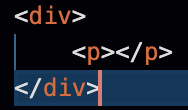
Sibling (
+): Places elements side-by-side (h1+p).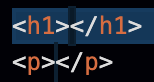
Climb-up (
^): Moves up the tree structure.Multiplication (
*): Generates multiple elements (li*5).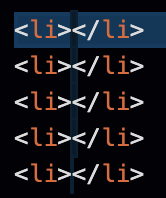
Grouping (
()): Groups elements together for complex structures.
Attributes and Content:
IDs and Classes:
div#header.classgenerates<div id="header" class="class"></div>.
Text Content:
{text}adds content inside tags, such asa{Click me}.
Custom Attributes:
[attr]adds custom attributes, e.g.,img[src="logo.png"]
.
Dynamic Numbering: Using the
$sign allows for automatic numbering in repeated elements (e.g.,item$*3becomesitem1,item2,item3).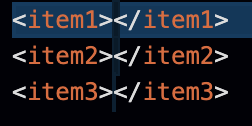
Boilerplate Expansion: Typing
!and hittingTabgenerates a full HTML5 document structure.
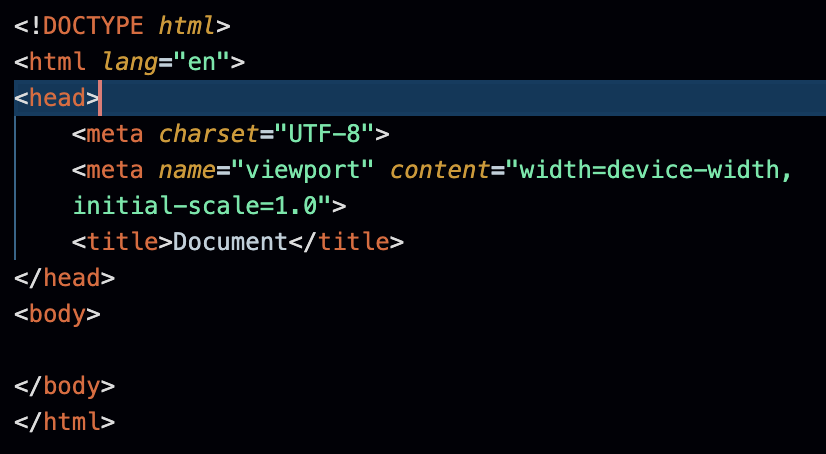
Emmet works directly in most modern IDEs and text editors, automatically offering suggestions in the dropdown menu as you type, with a preview of the expanded code.
Emmet is Optional but powerful
While using emmet it is important to remember that:
Emmet does not replace HTML
Browsers never see Emmet
Its just a developer productivity tool.
We can always write HTML normally. Emmet just helps us move faster.
Emmet Cheatsheet
Goal | Emmet | Result |
Element |
|
|
Text |
|
|
Class |
|
|
ID |
|
|
Attribute |
|
|
Child |
| Nested elements |
Sibling |
| Same-level elements |
Repeat |
| 3 list items |
Boilerplate |
| Full HTML structure |
Conclusion
Now that we have a better idea of how emmet should be used, with the help of emmet we can save time, reduce errors and we can make a proper HTML structure.


